
The internet is always evolving, but certain design movements stand out by transforming the look and feel of online creativity. Enter the vibrant, unapologetically raw, and blindingly neon-green aesthetic that has taken over every social media timeline. What started as a distinct album art direction has evolved into a global language of humor, identity, and commentary.
If you have been looking for the perfect way to participate in this cultural phenomenon, you are in the right place. Creating these iconic pieces doesn’t require complex graphic design skills or expensive software suites. With a dedicated Brat Meme Generator, anyone can tap into this hyper-specific design movement, craft a viral statement, and drop it into the digital wild within seconds. Let’s dive deep into how this simple layout became an internet empire and how you can master it today.
What is the Brat Meme Generator and Why is it Ruling the Internet?
To understand why a basic, slightly blurry text block on a solid lime background is dominating pop culture, you have to look at the power of minimalist rebellion. The aesthetic strips away the over-polished, heavily filtered, and meticulously curated look that defined the previous decade of social media. Instead, it embraces something messy, low-fidelity, and authentic.
A Brat Meme Generator is a specialized digital workstation built to replicate this exact energy. It takes your custom phrases, internal jokes, or hot takes and formats them instantly into the signature style. The reason it rules the internet is its sheer versatility:
- Brands use it for quick marketing pivots to catch trending waves.
- Individuals use it to express their daily moods, unfiltered thoughts, or chaotic energy.
- Communities use it to subvert traditional, played-out internet memes.
It isn’t just a template; it’s a shared cultural canvas that instantly signals you understand the current pulse of the internet.
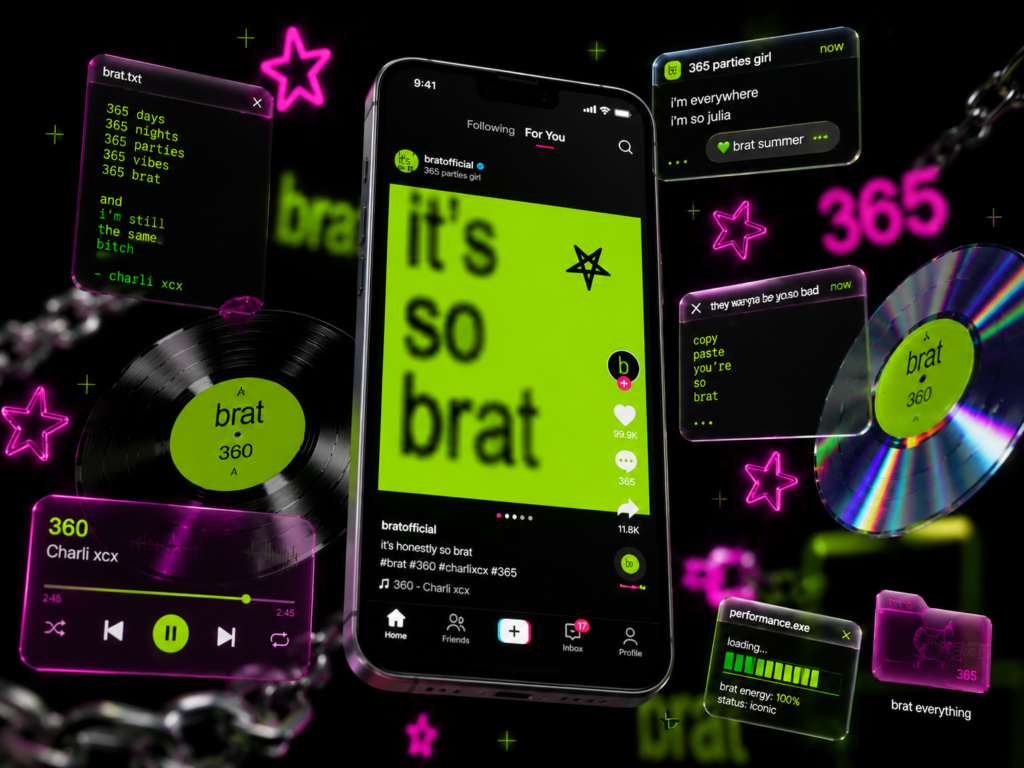
Best Features of a Specialized Meme Generator
Unlike generic photo editors, a dedicated meme generator simplifies the workflow by focusing on exactly what makes a visual trend stick.
1. Ready-Made Cult-Classic Templates
Instead of wasting time adjusting Hex codes or scouring font repositories, the platform comes pre-packaged with the definitive styles driving pop culture. Whether you want the classic chartreuse backdrop or alternative versions, the setup is ready instantly.
2. Deep Custom Text Customization
The magic is in the details. A high-quality tool allows you to manipulate text beyond standard typing, giving you precise control over:
- Negative Kerning: Squeezing letters close together for that cramped look.
- Texture and Blur: Applying intentional low-res distortion to mimic compression.
- Custom Alignment: Offsetting words to feel beautifully unbothered.
3. Alternative Colorways & Expansions
With integrated variants like the Brat pink generator, users can pivot their visual theme instantly while maintaining the signature anti-design typography.
How to Use the Free Brat Generator (Step-by-Step)
The beauty of a Free Brat Generator lies entirely in its accessibility. You do not need to log in, enter credit card details, or watch endless advertisements just to export a single piece of content. The user interface is optimized for rapid creation, keeping the process down to a few basic steps:
1.Input Your Text:Step 1.
Locate the main text content block at the top or side control panel. Type your desired phrase—whether it’s a single word or a short, punchy sentence.
2.Observe the Live Canvas:Step 2.
Watch the central display screen render your text in real time against the classic high-contrast backdrop.
3.Fine-Tune the Mechanics:Step 3.
Use the simple sliders located right under the preview box to tweak the font size, tighten up the letter spacing, and add that crucial hint of focus distortion.
4.Export and Share:Step 4.
Hit the download buttons to save your work as a high-definition PNG or JPG file, or copy it directly to your clipboard for instant pasting into a chat or tweet.
Cracking the Aesthetic: The Official Font and Style
At first glance, the layout looks like something thrown together in a default text editor in less than thirty seconds. However, the visual impact relies on a highly calculated set of anti-design choices. Cracking this specific code requires looking closely at three core elements: the color, the typography, and the degradation.
The typeface at the center of the movement isn’t a rare, custom-designed font. It is a standard, ubiquitous sans-serif—most notably Arial or a closely related narrow variant. The magic happens in how it is styled. The text is set to a heavy bold weight, but the letter spacing (kerning) is pulled uncomfortably tight, causing the characters to crowd one another. Combined with a subtle offset alignment and a signature low-resolution blur that mimics a compressed digital image, the final output looks perfectly raw.
Pro Tip for Perfect Authenticity: Never leave your text perfectly crisp. A true low-fi meme needs anywhere from a 1px to 2px Gaussian blur to simulate that slightly low-resolution, compressed digital feel that makes the original album cover so iconic.
Expanding the Creative Ecosystem
As the trend continues to dominate timelines, creators are taking the style into brand-new mediums.
The Brat Font Free Download Guide
If you are a standalone creator, developer, or video editor who prefers to work locally inside offline applications like Photoshop, Premiere Pro, or CapCut, you will want the raw assets on your local machine. Because the original art relies on Arial Bold, you likely already have the base font pre-installed. However, for specific variations seen across alternative tracklists, creators often download open-source alternatives like Inter, Nimbus Sans, or specific stretched grotesque fonts from Google Fonts.
Step Up with a Text Video Generator
Static images are incredible for quick replies on platforms like X (formerly Twitter) or Reddit, but short-form video algorithms demand motion. To capture the attention of audiences scrolling through TikTok, Instagram Reels, and YouTube Shorts, creators are shifting toward a dynamic Brat text video Generator approach. This takes the classic background and introduces kinetic typography elements—text that glitches, pulses in sync with heavy electronic tracks, or slowly blurs in and out of focus.
The Future: Intelligent AI Automation
The introduction of the Brat Generator AI ecosystem has completely streamlined how contextual jokes are made. Instead of sitting and brainstorming the perfect punchline, users can leverage machine learning to generate contextually relevant, highly witty text strings customized for specific niches. It bridges the gap between a breaking internet moment and the visual response, allowing content creators to stay ahead of the narrative curve with zero manual asset creation.
Pro Tips to Make Your Texts Look Exactly Like the Real Album Cover
If you want your creations to look genuinely authentic rather than a cheap imitation, you need to pay attention to the subtle fine-tuning details. Most generic image tools get the colors right but completely miss the structural nuances that give the original art its specific texture. Follow these guidelines inside your generator:
- The Power of Blur: Never leave your text perfectly crisp and sharp. A true low-fi meme needs anywhere from a
1pxto2pxGaussian blur to simulate that slightly low-resolution, compressed digital feel. - Tighten the Kerning: Lower your letter spacing slider into negative values. The letters should sit incredibly close to one another without completely losing their legibility.
- Mind the Alignment: Avoid standard, perfectly squared margins. The text block should feel slightly heavy within the layout, often utilizing generous padding configurations that force multi-line sentences to break in unusual, stylistically jarring places.
Frequently Asked Questions
Is a meme generator free? Yes! The vast majority of baseline text tools are completely free, open-source web applications designed for the community. You can generate, copy, and download unlimited variations without worrying about paywalls.
Can I download images with transparent backgrounds? Yes. Most advanced generator platforms allow you to turn off the background visibility entirely, letting you export the custom, tight-kerned typography as a transparent PNG. This is ideal for overlaying the text on top of your own personal photos or video clips.
What is the best canvas layout for social media? For standard grid posts on Instagram or X, a 1:1 Square layout works beautifully. However, if you are planning to share your creation directly to your Instagram Story or TikTok feed, make sure to change your generator’s canvas layout setting to a vertical 9:16 format for full-screen coverage.
Try It Now!
If you’re ready to create your first viral piece of digital art, visit textbrat.com and start exploring easy online tools made for beginners, content creators, and meme lovers alike. Create, save, adjust the blur, and have fun while dropping your takes into the digital wild!